
TM SIM Registration Online – 2026
According to the SIM Registration Act (Act No. 11934), every mobile user must complete TM SIM Registration to activate their number for calls, texts, and internet access. You can register your TM SIM card online through the official portal, via the GlobeOne app, or at an authorized Globe store. Click the button below to start the SIM registration.

How to Register a TM SIM?
Globe Telecom officially offers three methods to register the SIM card TM. These include both online and in-person registration methods. Use the official registration methods and complete the SIM registration TM for free. You can also follow these steps for your Globe SIM registration.
SIM Registration TM Via Portal
SIM Registration through the official online portal is quick and easy. You can complete the process from your phone or computer at home. Here is the detailed tutorial about registration using the portal:
- First of all, visit the Globe Registration portal or click on the TM SIM registration link given below for direct access to the portal.
- Now enter your TM SIM number in the required field. Make sure that you have entered the correct number. Agree to the Privacy Policy and click the “request PIN” button to get OTP.
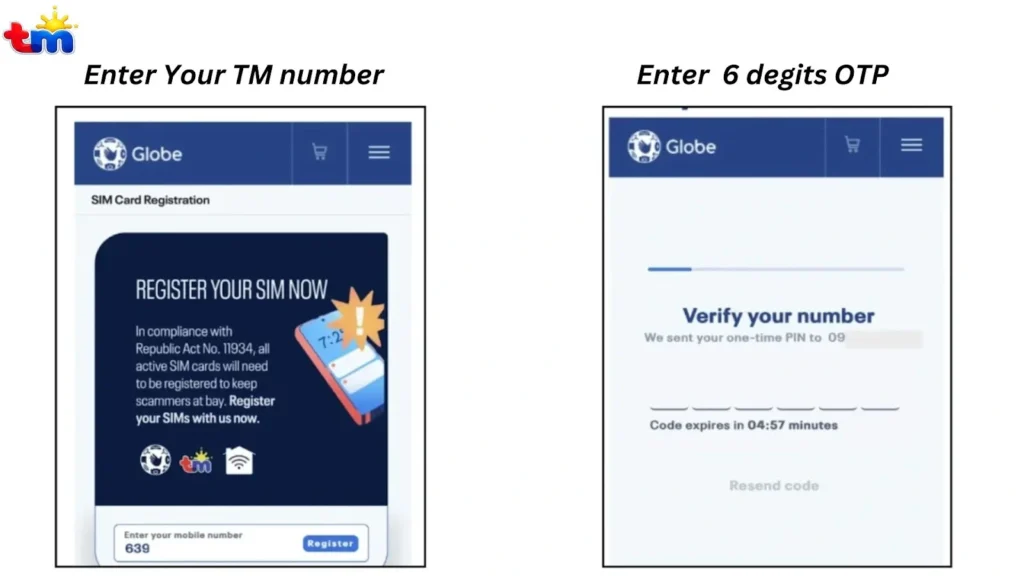
- If you are a Globe Home Prepaid WiFi user, click the “Click here” option to receive the OTP.
- Now you will get an OTP on your TM SIM number. Copy the OTP and enter it in the required field to complete the verification.
- The code is valid for 5 minutes. Therefore, enter it as soon as you receive it to avoid issues.
- Once OTP is verified, you will get a basic guide that explains the registration process and eligibility. Read it carefully and continue the registration.
- You will get a TM registration form to fill out with all the required information. The details include:
- Personal details (full name, date of birth, and gender)
- SIM registration type
- Complete Address
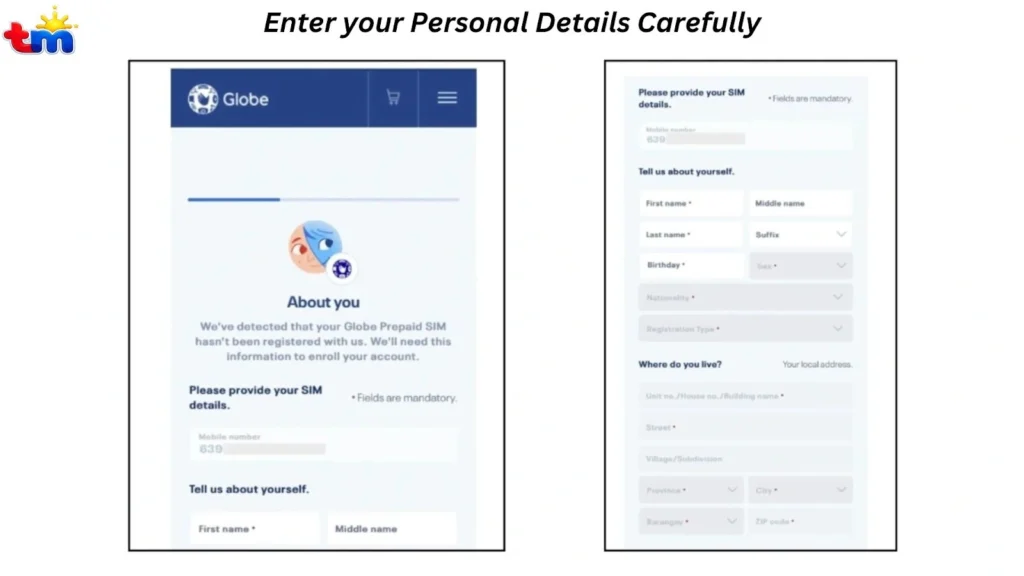
- Always provide all the required details according to the official documents. If your address is not available in the drop-down menu, select N/A.
- Once the form is filled out, double-check the details to confirm accuracy and submit it.
- Now you have to complete the identity verification. Now, you need to complete the identity verification process. After that, enter your ID number and select your ID type for verification.
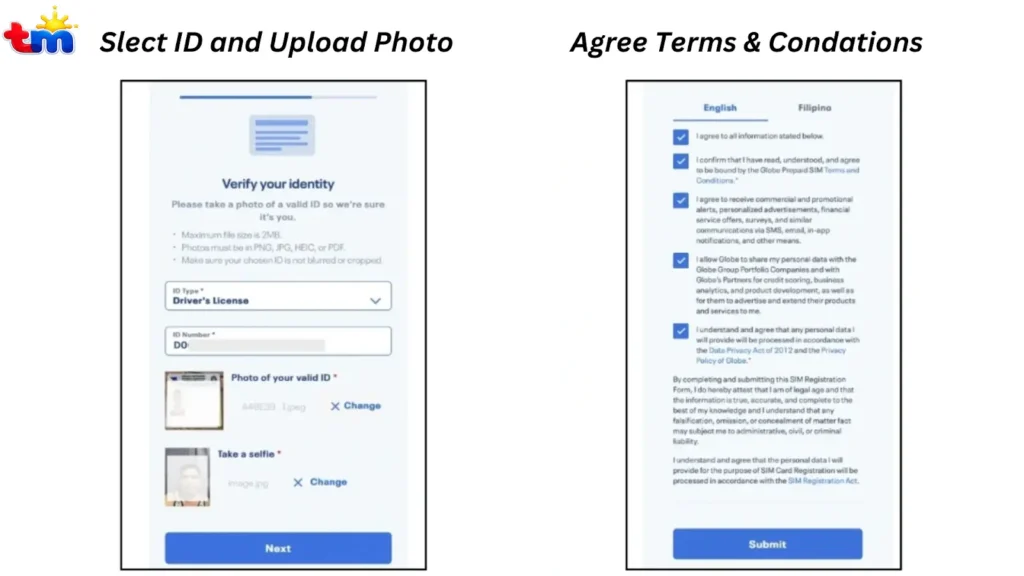
- Upload a clear photo of your official ID. The image must be in JPG, PNG, HEIC, or PDF format and should not be larger than 2MB in size.
- Now capture a selfie of your face to complete face verification. Always take a clear photo and avoid using any effects.
- Once done, Click Next to continue. You will get Globe’s privacy policies. Tick all the boxes to agree to the privacy policy and click submit to finish the registration.
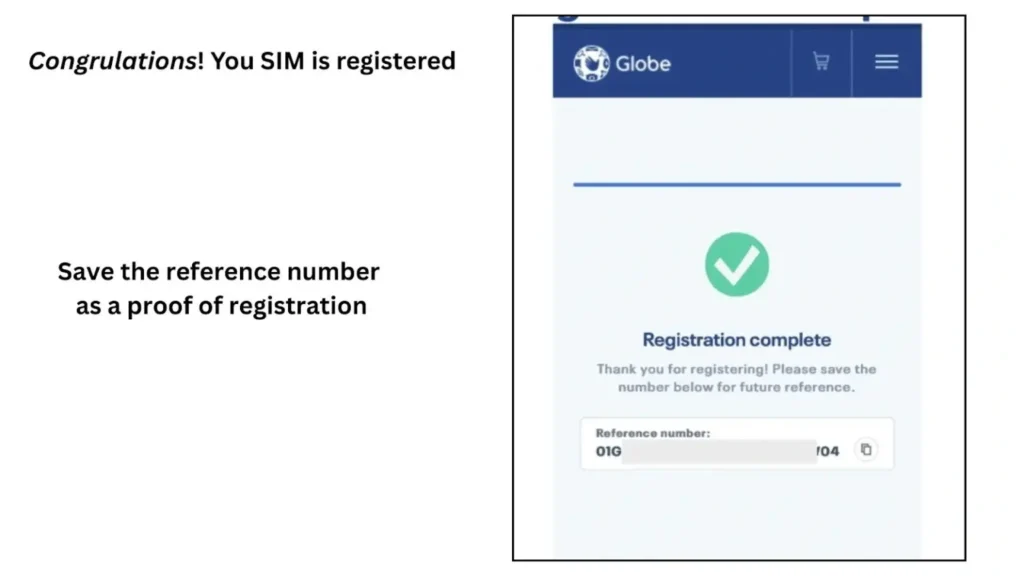
- That’s it, the registration is completed. You will get a congratulatory message on screen with a reference number. Save the reference number as proof of registration.
Register Via GlobeOne App
The SIM card registration TM process on the GlobeOne app is similar to the online portal. However, the app is a better choice if you want to register on your phone and receive OTPs faster. Here is how to register via the TM SIM app:
- Download the GlobeOne app on your mobile phone from the Play Store or App Store.
- Open the app, create an account if you’re new, and log in.
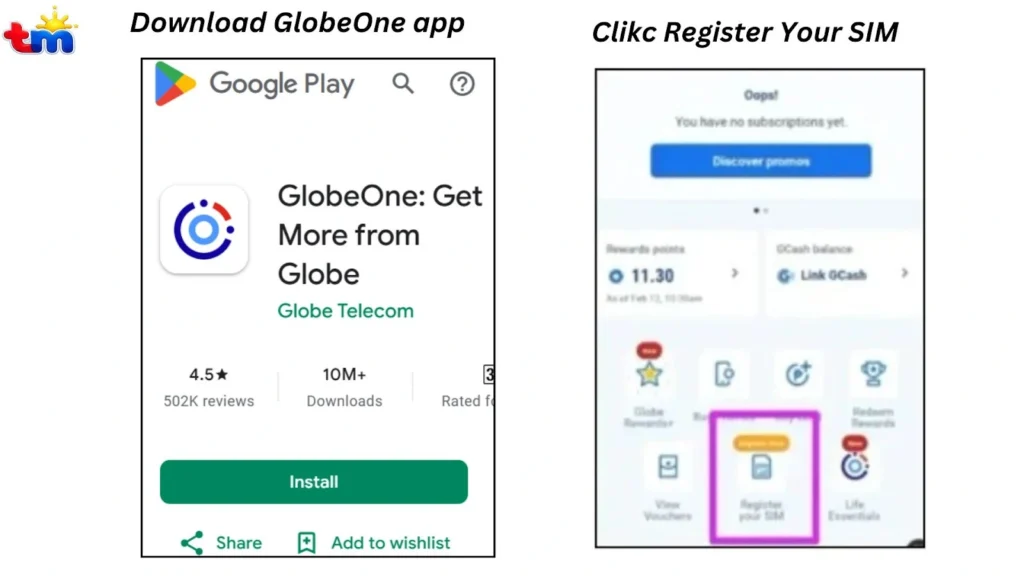
- You will get the “Register your SIM” option on the home screen of the app. Click on that option to begin the registration process.
- Enter your 11-digit TM/Globe mobile number carefully, then tap Next to receive the OTP.
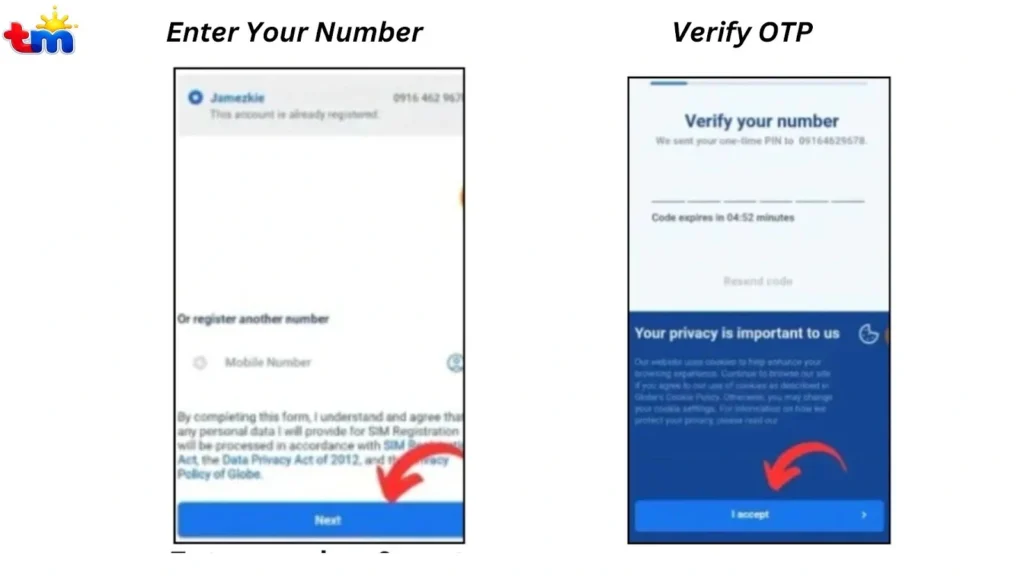
- You will receive an OTP on the provided number. Check your phone inbox for the one-time password (OTP) and enter it to verify your number.
- After verification, please complete the registration form with all the required details as per your official documents.
- Select your ID type and upload a clear photo of your valid ID.
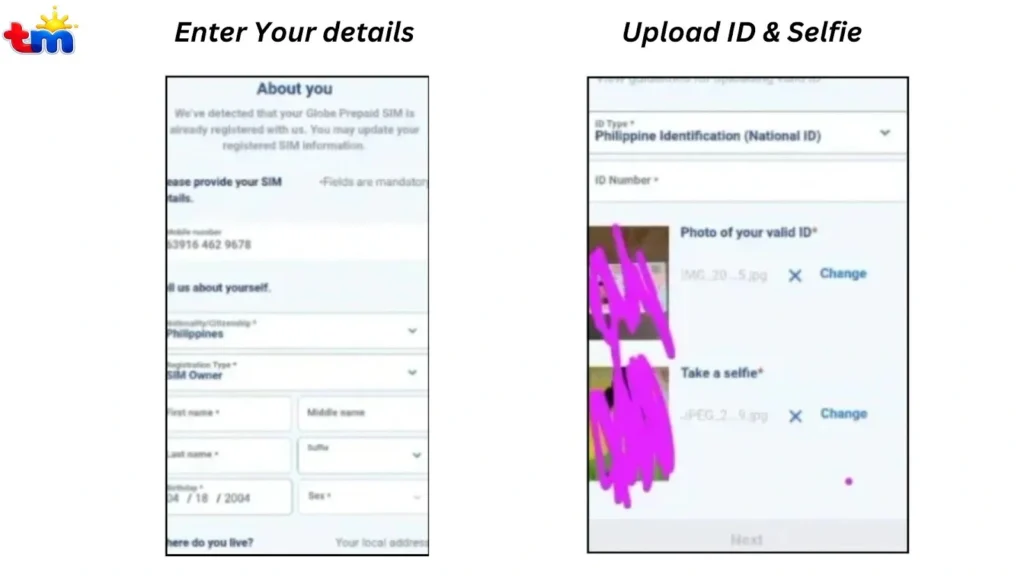
- Take a clear selfie for face verification. The selfie must be clear and show your full face.
- Lastly, you will get a list of the terms and conditions. Read them carefully, tick the box, and tap Submit.
- Once submitted, you’ll receive a reference number. Save it or take a screenshot as proof of successful SIM registration.
Register in Stores
If you’re not comfortable with the online registration process and prefer in-person assistance, you can visit an authorized Globe store for assistance. Below is a simple guide on how to register your TM SIM at a Globe outlet.
- Visit your nearest authorized Globe store. Use the Globe store locator tool to find your nearest Globe outlet.
- Bring a valid government-issued ID and any required documents for verification.
- Inform the store staff that you want to register your TM SIM card.
- A representative will assist you in filling out the registration form and verifying your identity.
- Once completed, your TM SIM registration will be confirmed on the spot.
You can choose any of the above registration methods. If you want to register more than one SIM, just repeat the process for each SIM card. Each SIM will be registered separately under your name.
Compression of SIM Registration TM Methods
Below, I have provided a quick comparison of all three registration methods. It would help you to choose a suitable method for you:
TM Registration Method | Best For | Internet Required | Time Needed | Support Level | Success Rate |
Online Portal | Users who want quick registration from home | Yes | 5–10 minutes | Self-guided | High |
GlobeOne App | Smartphone users who prefer mobile registration | Yes | 5–10 minutes | App-guided | High |
Globe Store (In-Person) | Users who want personal help or face issues online | No | 10–20 minutes | Staff-assisted | Very High |
How To Activate the TM SIM?
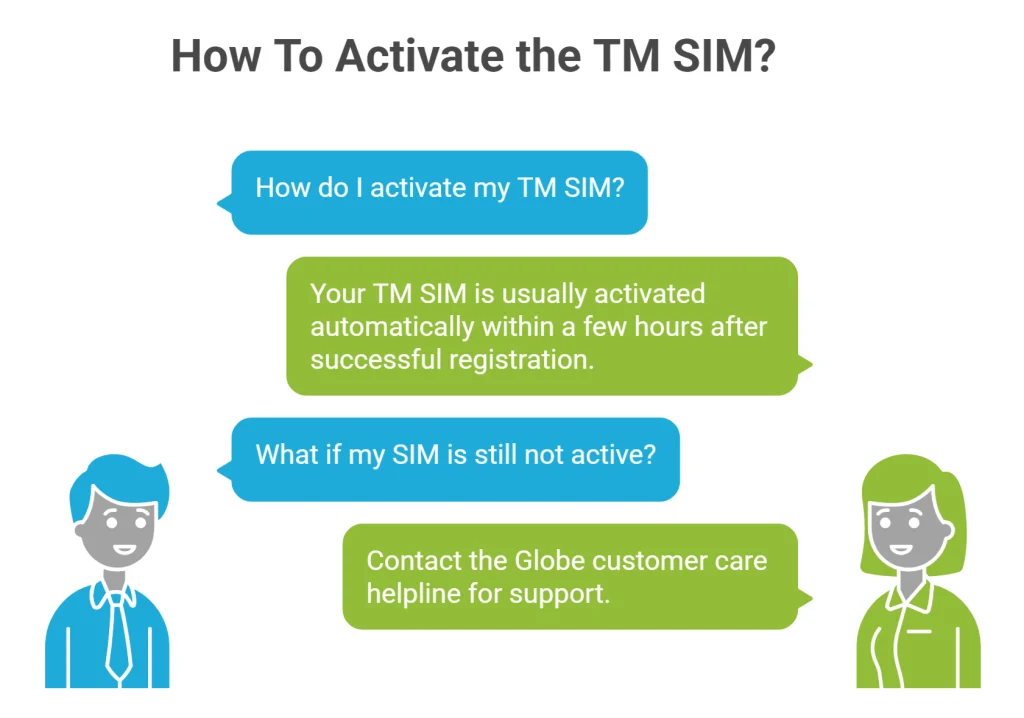
There is no need to activate your TM SIM separately after registration. Once the SIM card registration TM is completed successfully, your SIM is usually activated automatically within a few hours.
In some cases, activation may take a little longer due to system processing. If your SIM is still not active, contact the Globe customer care helpline for support.
TM SIM Card Registration Verification
Once you have completed the registration, you can check your registration status. It helps you to check whether your SIM has been activated. Here is how to track the registration status:
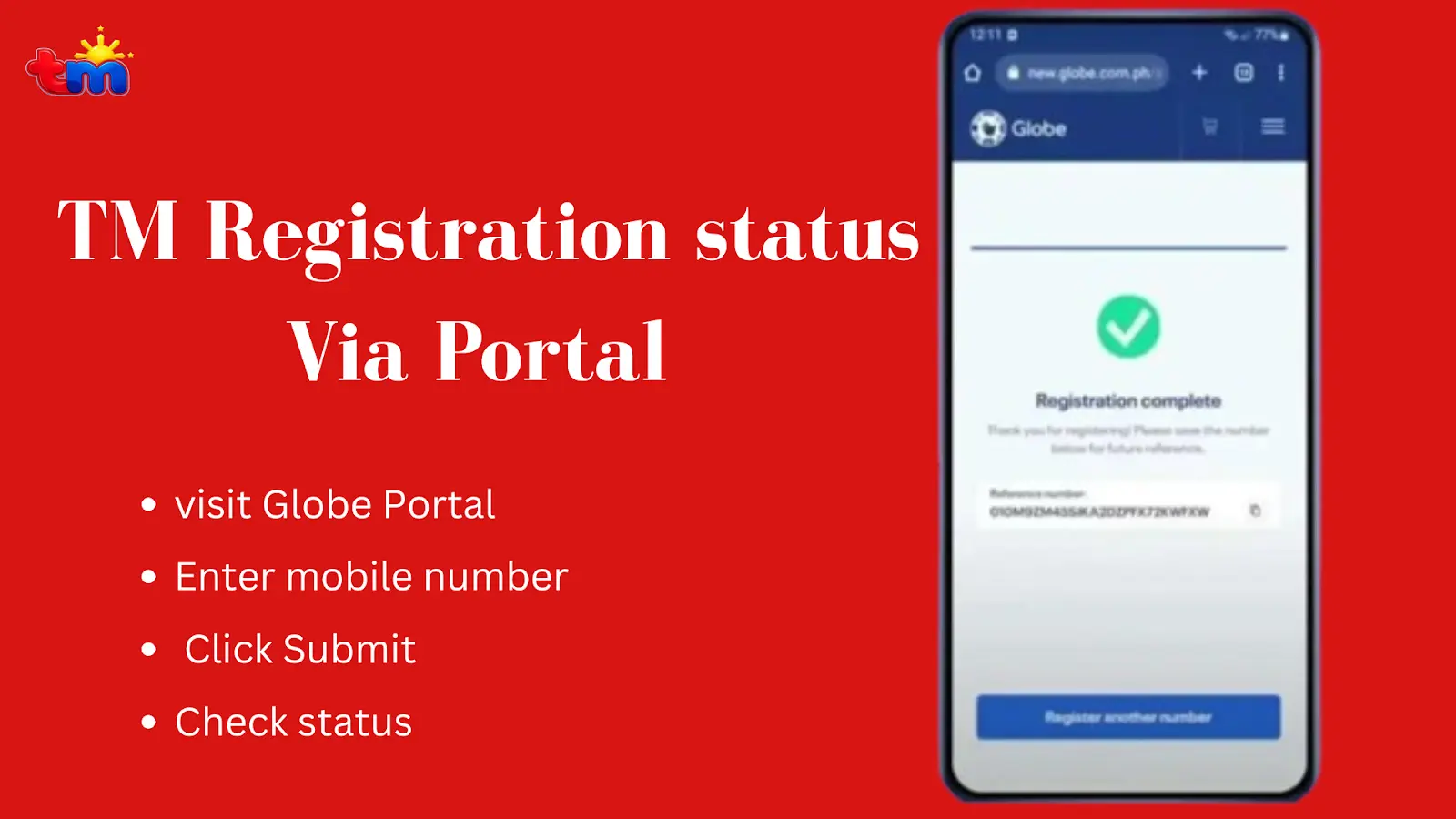
Check Online Via Portal
Here is how you can verify your status online via the portal:
Check via GlobeOne App
Here is how to verify registration online using the GlobeOne app:
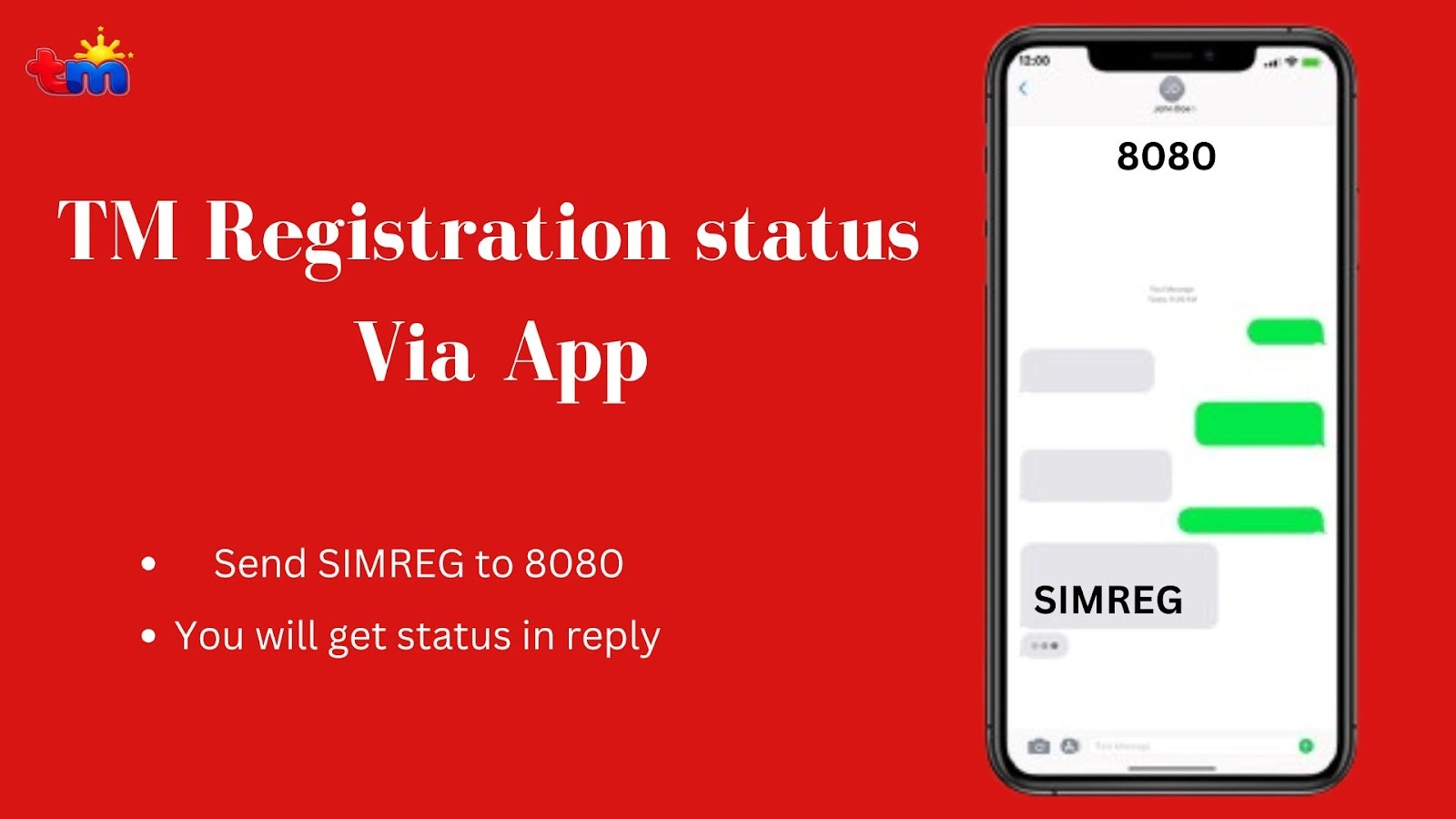
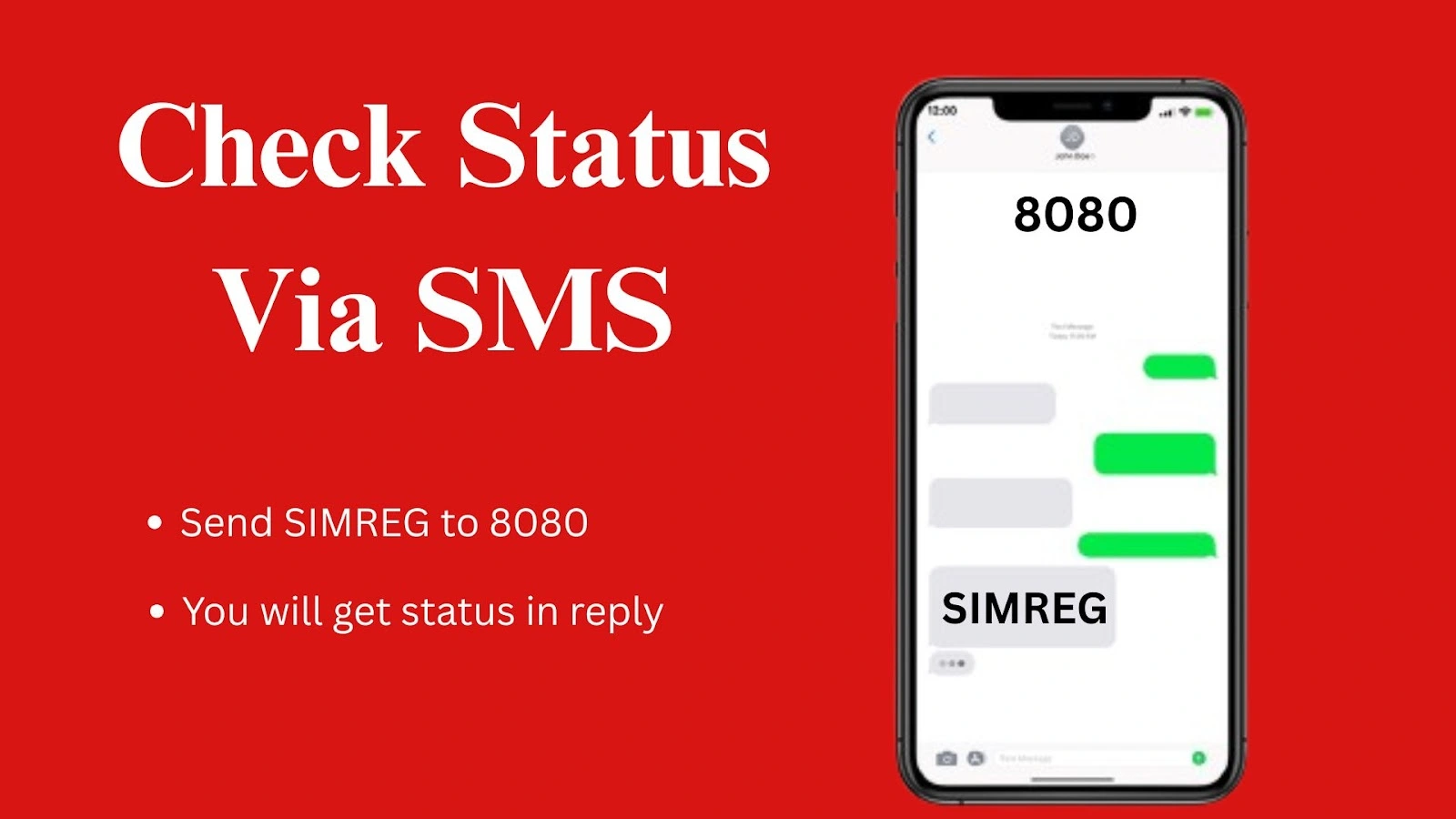
Check Via TM SIM Registration Number (8080)
If you’re unable to check your status online, this is the easiest way to verify it without internet access.
If your status shows “unregistered”, wait a few hours and check again. If it still doesn’t update, contact Globe support or visit a Globe store for assistance.
Requirements For SIM Registration TM
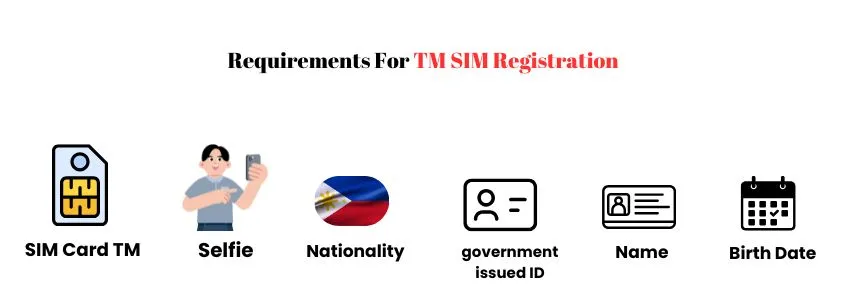
There are a few important requirements for SIM registration to verify your identity. Make sure you fulfill all requirements in advance to avoid rejection or delays during registration. The complete list of requirements is given below:
Acceptable IDs
Globe Telecom accepts only specific valid IDs for SIM TM registration. You must provide one of the following documents:
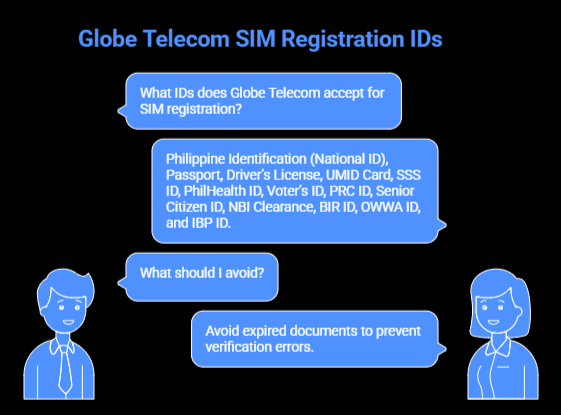
Always provide the valid government-issued documents. Avoid expired documents to prevent verification errors.
Tips for successful registration
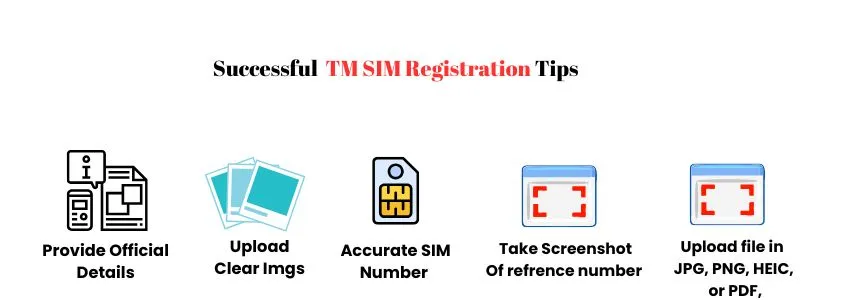
Here are some practical tips that will help you complete SIM registration successfully:
- Always enter your name, date of birth, and address exactly as shown on your valid ID. Even minor spelling differences can cause rejection.
- Make sure the ID image is bright, not blurred, and all text is visible. Avoid shadows, glare, or cutting off any corners of the ID.
- Always provide an accurate SIM number and double-check it before submission. You will not receive OTP if you provide the wrong phone number.
- The OTP remains valid for 5 minutes. Therefore, use the OTP as soon as you receive it to complete the verification process successfully.
- Upload files only in supported formats, such as JPG, PNG, HEIC, or PDF, and ensure they are under 2MB to prevent upload errors.
- This reference number is your proof of registration. Take a screenshot or note it down for future tracking or support.
- Ensure that your device has a stable internet connection to prevent OTP and other similar issues. Use the best TM APN to get smooth internet.
- If online registration feels confusing or doesn’t work, you can simply visit a Globe store and get help in person.
How to change TM SIM details?
After successful registration and activation, you can change or update your details anytime. It helps you to keep your SIM card information up to date. Here is how to do it:
- Open the GlobeOne app on your phone and log in using your account details. Make sure you are connected to the internet so the app works smoothly.
- Once logged in, look for the “Enter Mobile Number” section. Below it, you’ll see the option “Change your details.” Tap on it to proceed.
- Next, press the “Update Details” button. This will open a page where you can safely edit your personal information, like your name, address, or contact info.
- Carefully make the changes you need. Double-check that all the information is correct before saving.
- When you’re done, tap “Submit” to save your updates. You should see a confirmation that your details have been successfully updated.
- If you are facing issues in the online process, you can also visit the Globe store for assistance.
How to switch to TM from other networks?
If you want to switch to TM but keep your current mobile number, Mobile Number Portability (MNP) makes it simple. You can move from any network to TM without changing your number. Here is how to do it:
- First, make sure your number is active, has no unpaid bills, and has been used for at least 90 days. Check TM balance before starting the process to ensure a smooth process.
- Then, using your current SIM, send USC to 5050. You’ll receive a porting code via message.
- Next, visit the official TM website or a nearby TM store and request a number transfer.
- Share your existing number and the porting code for verification. TM will send you a new SIM within 2 to 3 working days.
- Once the SIM arrives, insert it into your phone and open the SIM menu. Choose Port In > Online Request, then enter your old number and the code sent by TM.
- The transfer usually completes within a few hours, and you can start using TM with the same number.
Benefits Of SIM TM Registration
TM Tambyan provides a lot of valuable benefits to user after TM SIM registration. Here are the details about the benefits and advantages of SIM registration:
Troubleshooting the Common Errors
Sometimes users face several issues during online registration, such as ID error, OTP issues, and much more. These issues mostly occur from the user end. Below are the 100% working solutions to these issues:
OTP Not Received
This usually happens when your phone has multiple SIMs active or uses eSIM. You can overcome these issues through these simple steps:
- Check that you have entered the correct phone number.
- Make sure that your device has a stable network connection. Fix TM signal issue to get OTP on time
- Check the spam box of your email for OTP.
ID rejected
Even valid IDs can be rejected if the image format, file size, or clarity doesn’t meet system requirements. iPhone HEIC images often cause issues. Follow these precautions for the solution:
- Use JPG or PNG format only
- Keep file size under 2MB
- Take the photo in good lighting
- Avoid cropped or blurry ID images
Face verification Failed
Face verification may fail if the lighting is poor or your face doesn’t clearly match your ID photo. Filters and accessories can also cause errors.
- Remove glasses, hats, or masks
- Turn off beauty filters or portrait mode
- Use natural lighting and a plain background
- Keep a neutral facial expression
Session Timeout
This issue usually occurs due to heavy traffic, slow internet, or browser problems. The portal may freeze or show a “request timeout” message. Take these simple steps for the solution:
- Refresh and retry after some time
- Switch to another browser or device
- Clear browser cache and cookies
- Use the GlobeOne app as an alternative
TM Helpline Details
TM offers dedicated customer support for TM Tambayan users. If you face any issues with registration or SIM services, you can contact TM customer care anytime through the official helpline channels given below:
Helpline Number
TM number call: 808
Non-TM numbers: Call (02) 730-1500
Available daily: 8:00 AM to 8:00 PM.
Globe Outlet
If you want in-person assistance, visit the nearest Globe store. Use the store locator to find your nearest outlet
FAQs
Conclusion
TM SIM registration in 2026 is easy and free when you use the official portal, the GlobeOne app, or visit a Globe store. You only need to enter your number, verify it with an OTP, submit a valid ID, and complete the face verification. After SIM registration TM, your SIM is usually activated within a few hours. Save the reference number so you can track your status later or get quick help if anything goes wrong. If you face issues online, the app or in-store option makes the process smoother. Once you register a SIM card TM, you can check your status via the portal, GlobeOne app, or by texting 8080. Contact the Globe/ TM helpline in case of any issues.